
Beginner's Guide to Borderlands 4: Tips and Tricks
★ 6 SHiFT Codes as of September 2025
☆ Black Market Location
★ Elemental Weakness Chart
☆ Legendary Weapons
★ Builds: Vex | Amon | Rafa | Harlowe
☆ How to Respec Skill Tree
This is a beginner's guide for Borderlands 4 that focuses on tips and tricks to help you in your journey in Kairos. Learn the basics, covering of the essential tips in combat, exploration, levelling up, along with some advanced tips.
List of Contents
Beginner's Guide to Borderlands 4
| Beginner's Guide |
|---|
|
|

What to Do First
|
・ Complete Down and Outbound
┗ Gives access to the Digi-Runner vehicle. ・Obtain a Vault Symbol ・Upgrade Your Backpack ・Complete the First Silo ・Return Lost Capsules ・Claim Another Safehouse |
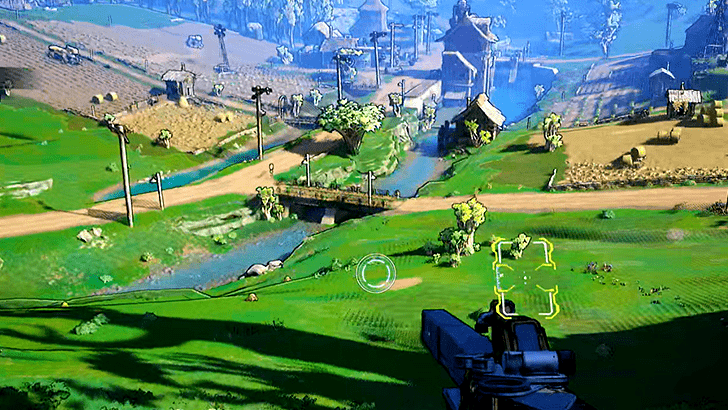
As soon as you complete the prologue, you will be thrown into the open world with the starting mission Recruitment Drive. You can start exploring from here, but we highly recommend you complete main story missions here first to gain access to the glidepack, secure your first Safehouse with Fast Travel, and to get your vehicle (Digi-runner) at The Launchpad Faction Town.
You can widen your scope of exploration once you have settled in The Launchpad. Follow these three points to guide you when playing Borderlands 4:
- Do Main Missions. If they become hard, level up through Side Missions.
- Loot and farm gear and weapons.
- Explore for collectibles and achievements.
Navigate Easier with ECHO-4
| Echo-4 Drone Controls | |||
|---|---|---|---|
| PS5 |  |
||
| Xbox |  |
||
| PC |  (ECHO Location) (ECHO Location) (Ping) (Ping) |
||
| Types of Location Paths | |||
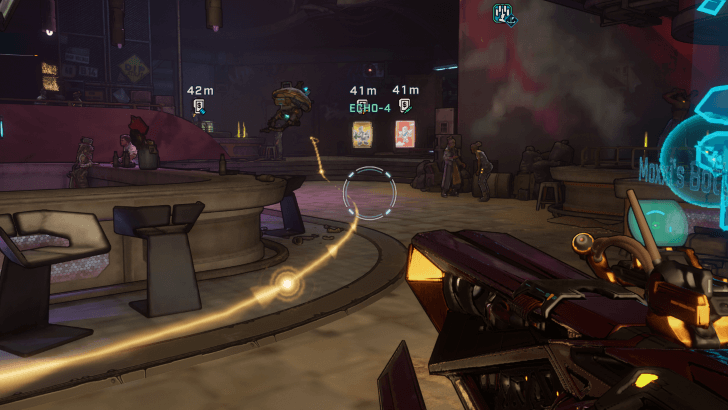 Main Mission Story Location Path |
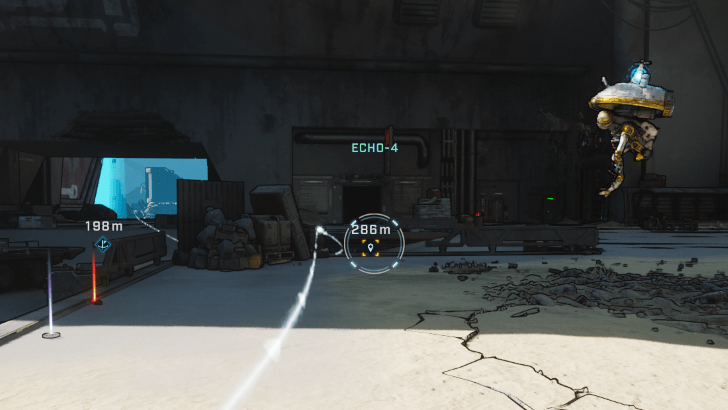 Custom Waypoint Location Path |
||
With Borderlands 4 now leaning towards the open-world, you'll want to rely on ECHO-4 to show you the way. Make use of his function as a location pathmaker when using your map!
There is also no Minimap you can use to reference your location. You'll just want to enable the Radar instead in your settings menu: Gamplay → Toggle Radar Display
Level Up with Missions and Farms
| Best Ways to Level Up Fast | |
|---|---|
| Farm The Prospects Drill Site | ★★★★★ Can be farmed multiple times, with chance to obtain Legendary Gear. |
| Accept Contracts in Safehouses | ★★★★ Quick side quests that rewards blue to green rarity XP. |
| Replay Primordial Vault Missions (Vault Entrances) |
★★★ Gives Large amount of EXP, but has a higher difficulty. |
| Farm Easy Bosses | ★★ Gives decent amount of XP, highly dependent on chosen boss to farm. |
When starting out in Borderlands 4, one of earliest methods you can do for getting a lot of XP for levelling up are Contracts or Side Missions. Once you get access to a later nearby area Hungering Plain, you can begin taking advantage of your first Drill Site for loot and XP.
The usual way of gaining XP is through Main Missions and killing enemies. Borderlands 4's open-world approach allows you to be more flexible on how you level your character and incentivizes exploration as part of your usual levelling routine.
Know Elemental Matchups
| Element vs. → |  Flesh Flesh |
 Armor Armor |
 Shield Shield |
|---|---|---|---|
 Incendiary Incendiary |
Very Strong | Very Weak | Very Weak |
 Shock Shock |
Weak | Weak | Very Strong |
 Cryo Cryo |
Normal | Strong | Very Weak |
 Radiation Radiation |
Normal | Weak | Strong |
 Corrosive Corrosive |
Very Weak | Very Strong | Very Weak |
In Borderlands 4, guns will have a corresponding element that can exploit a part of an enemy. For example, Incendiary damage is best dealt to unarmored enemies, while Shock is best dealt against enemies with Shields.
In any case, it is best to plan ahead and bring guns with specific elements if you are up against enemies weak to that certain element.
Elemental Weakness Chart and Damage Guide
Know Your Valuables
| Valuable | Uses |
|---|---|
 Cash Cash |
・Buy items at Vending Machines
・Pay for Moxxi's Big Encore (repeat Bosses) ・Pay to Respec Skills |
 Eridium Eridium |
・Use for Moxxi's Big Encore (Weekly)
・Specializations Respec ・Other Endgame Content (Firmware) |
 SDU Tokens SDU Tokens |
・Storage Deck Upgrades (Ammo, Inventory Capacity, etc.) |
 Golden Keys Golden Keys |
・Golden Chests |
In the above table are the most important currencies to take note of when playing Borderlands 4 since they often concern progression.
Cash is for general purpose use (like Vending Machines), Eridium to save for endgame purposes, and SDU Tokens to spend of Quality-of-Life upgrades such as inventory space and Bank slots. Golden Keys are another redeemed from SHiFT codes to save for getting higher-tier loot.
Get Stronger Weapons
| Rarity | Level |
|---|---|
| ・Determines stat rolls and effects of weapons or gear.
・Higher rarities tend to have more features, such as unique effects for Legendary gear. |
・Scales based on Player level.
・Most impact on scaling damage and elemental damage. |
| ⓘ Early on, prioritize higher levels over higher rarity gear. Higher rarity can be prioritized later in the endgame.
ⓘ You can relax on levels for Class Mods, since their values come from the skills and effects they provide instead. |
|
Borderlands 4 is all about guns, better guns, and the best guns – only through looting. There is no way you can directly upgrade the level or rarity of what you get, so the only way to get stronger weapons is to grind loot until you get weapon and gear with better stat rolls and effects.
Farm Bosses
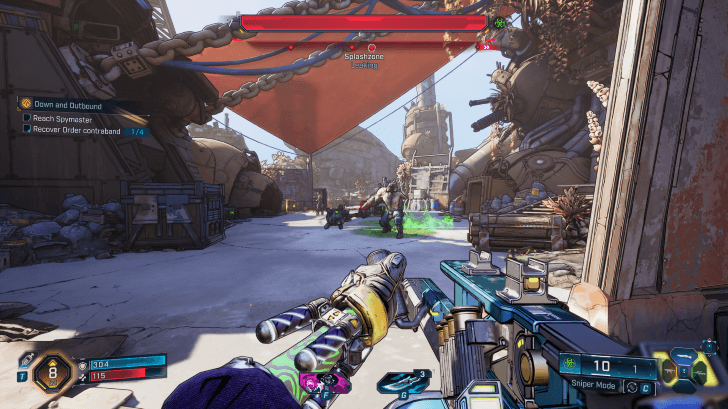
Splashzone is a good starting point for a beginner looking into loot and XP runs.
Defeating bosses naturally give out a ton of loot, so aiming to grind them efficiently is the name of the game. Bosses may be approached in two ways: Bosses repeatable through Moxxi's Big Encore machine, or world bosses found roaming in the overworld.
In the early game, Splashzone, located towards the east of the Coastal Bonescape, is one of the best to try efficient boss farming. He cannot be missed since defeating him is part of the Recruitment Drive's objectives.
Watch Out for Legendary Drops
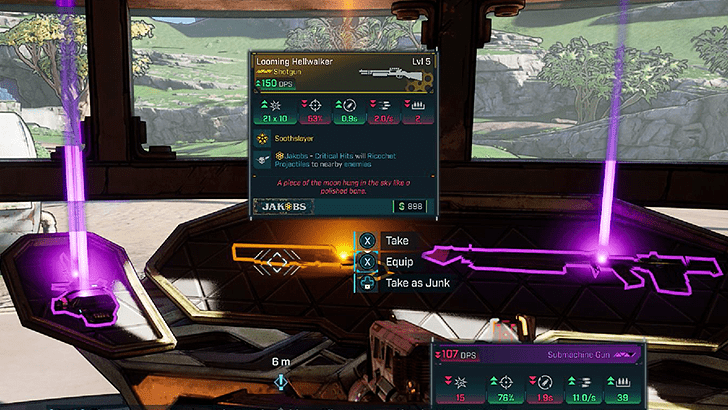
| Loot | ・Can randomly drop anywhere, from containers to random enemies.
・Higher chances to drop from Bosses or strong enemies like Badasses. |
| Golden Chests | ・Requires Golden Keys earned from SHiFT codes. |
There are only two ways in which Legendary gear, the highest tier rarity so far, can be looted: by getting lucky, or getting them through Golden Chests with Golden Keys.
Legendary gear is one of the most-sought after gear tier in the game due the stat rolls and unique effects they give. You can still get through content find with Epic gear, but the hardest content can become a breeze once you get yourself a suitable Legendary.
Know How to Respec Your Character
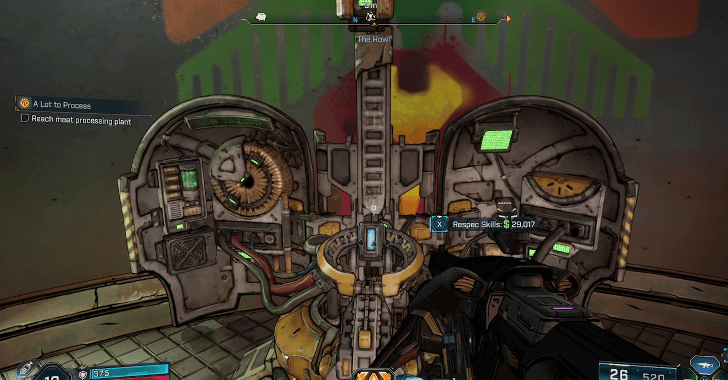
It's important to know that there are many ways that you can build your character. Always keep in mind that you can respec skill trees through the Respec machine found in Faction Towns such as The Launchpad in The Howl.
Note that respeccing requires Cash, so make sure to have some on you before respeccing!
Pick the Best Character for Your Playstyle
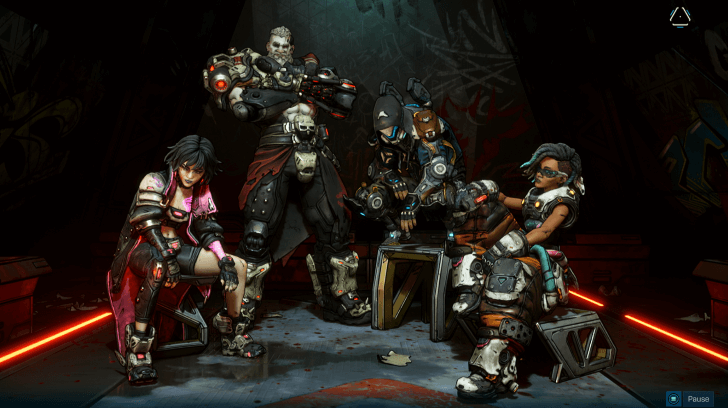
 Vex (Siren) Vex (Siren) |
Best for an all-around playstyle with summons. Elemental Affinities: Kinetic, All Elements |
 Rafa (Exo-Soldier) Rafa (Exo-Soldier) |
Best for a close-range brawler style and movement-heavy combat. Elemental Affinities: |
 Amon (Forgeknight) Amon (Forgeknight) |
Best for a tank-based playstyle. Elemental Affinities: |
 Harlowe (Gravitar) Harlowe (Gravitar) |
Best for crowd control or party support playstyle. Elemental Affinities: |
Each Vault Hunter is best suited to certain playstyles. For the best character to play solo, that would be Vex since she has an all-around elemental setup and can make summons to help her in combat.
We recommend you go with a Vault Hunter you resonate the most with, especially when you matchmake online with other players. Two or more characters supporting each other may find great synergy between their skills!
Advanced Tips for Borderlands 4
| Advanced Tips |
|---|
|
|
Build Your Vault Hunter Skills
| Vault Hunter Builds | |
|---|---|
| Vex (Siren) |
Rafa (Exo-Soldier) |
| Amon (Forgeknight) |
Harlowe (Gravitar) |
How a Vault Hunter plays will be dictated mostly by skill setup, with each characters skill sets being divided into 3 trees. When planning on a build, always check the available skills in the Skills menu.
Your Vault Hunter can further be supplemented with different Repkits, Ordnance, Class Mods, Shields, and Enhancements. Make sure to keep a lookout for these items, since they're looted the same way as you loot weapons!
Maximize Critical Damage
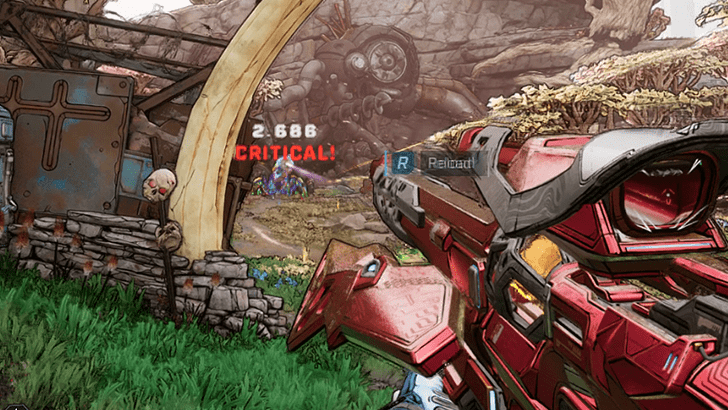
To maximize damage, your best bet is explotiting elemental weaknesses and dealing Critical hits which multiplies the damage you deal. This means hitting weakspots, like your old-fashioned headshot.
Know that there will also be ways to trigger Critical damage other than weakpoints (like skills) and ways to add effects on Critical hits, such as the Ricochet effect given by the Licensed Accessories of Jakobs.
Match Weapon Effects and Accessories
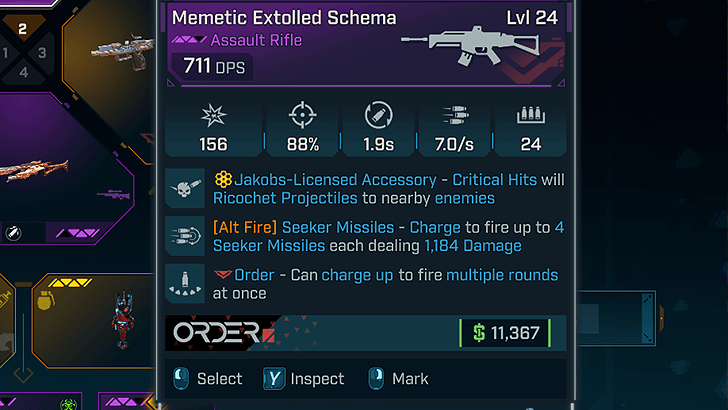
Borderlands 4 has a rich stat and effect system for loot. Make sure to always check what a weapon or gear offers, since some of these may synergize well with your playstyle and character.
Make sure to take note of Manufacturers, since equipping Enhancements enable additional effects for equipped guns that match that Manufacturer.
Alternate Effects and Licensed Accessories
| Manufacturer | Effects and Accessories |
|---|---|
| Jakobs | ・Bullet Ricochet on Critical Hit
・Can enable Critical Damage on weakpoints for Grenades |
| Maliwan | ・Alternate fire allows switching between two Elemental Damage Types |
| Daedalus | ・Alternate fire uses select secondary ammo. |
| Vladof | ・Underbarrel attachments and alternate modes with increased Fire Rate. |
| Tediore | ・Throw Guns (throw-as-an-explosive on reload), drones, deployable cover, etc. High-tech additions.
・Can have MIRV, remote detonation, or homing for ordnance. |
| The Order | ・Allows charged shots with multiple rounds.
・Homing grenades. |
| Torgue | ・Adds explosive properties to your gun, such as Sticky or Gyrojet ammo. |
| Ripper | ・Overwrites gun firing mode with Full Auto in exchange for having a starting charge mechanism.
・Teleporting grenades. |
| Hyperion | ・Unique accessory effects like Gun Shields and Licensed Grips where continuous fire improves accuracy. |
| Atlas | ・Unique accessory effects like Trackers to make your projecties home in on a target. |
| CoV (Children of the Vault) |
・Unique accessory that gives unlimited magazine size; magazine uses a 'heat' system instead, where enough heat caused by firing will cause it to enter a cooldown. |
Above are the known accessory effects.
Along the way, you'll also come across guns that come with Licensed Accessories. These accessories can heavily change the way you use the gun mechanically, such as Daedalus allowing you to use a secondary ammo source or Maliwan allowing you to swap between two different element damage types.
Take Advantage of Movement
Borderlands 4 adds grapple, gliding, and dash mechanics into the game, giving you more freedom on how to approach and navigate around your targets in Kairos. Take advantage of these movement techniques to get around mobs and boss attack patterns.
Get Golden Keys for High Tier Loot
Golden Keys return to Borderlands 4, giving players a fast and immediate access to powerful loot. You will, however, want to save Golden Keys for the endgame.
Golden Keys are one-time use items be obtained by redeeming SHiFT codes. They are used for opening Golden Chests in Faction Towns which give high tier loot and a chance at Legendary rarity weapons and gear.
Understand Level Scaling
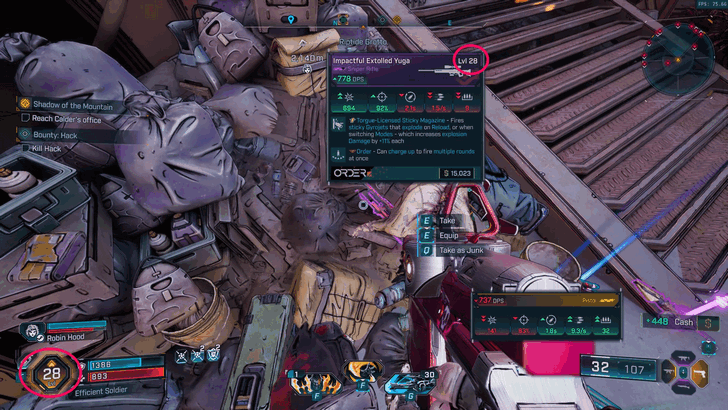
When your Level increases, loot drop levels and levels of lower-level enemies also increase to closely match yours. Higher-level enemies can be encountered in the game if you venture far enough without levelling up a lot; in this case, they will not scale down.
This system allows you to be rewarded still for revisiting older areas and farming defeated Bosses. So don't worry about losing out on anything when going to older areas!
Party Up for Multiplayer
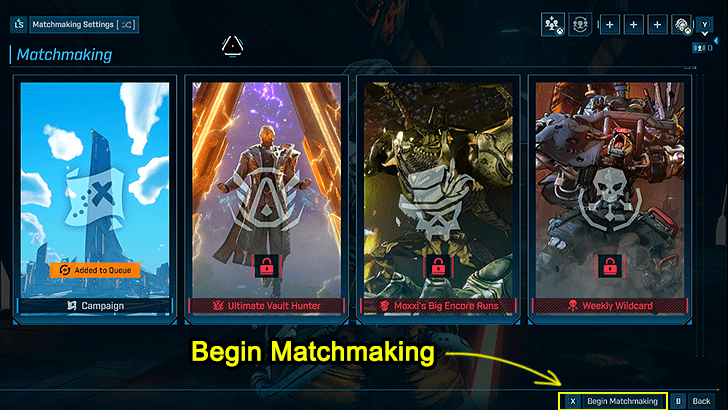
One of the highlights of the Borderlands is its emphasis on co-op play. While the game itself can be completed Solo, you can reach greater heights playing with others online.
Matchmaking is straightforward in Borderlands 4: you can jump into matchmaking with public parties right away, or you can form one through invites.
Matchmaking Guide: How to Form a Party
All Tips and Tricks
Tips and Tricks Guides
Borderlands 4 Related Guides

Borderlands 4 Walkthrough Wiki
Borderlands 4 Wiki
| Borderlands 4 Wiki Contents | |
|---|---|
 Main Missions Main Missions |
 Side Missions Side Missions |
 Builds Builds |
 Tips and Tricks Tips and Tricks |
 Bosses Bosses |
 Customizations Customizations |
 Weapons Weapons |
 Shields and Repkits Shields and Repkits
|
 Ordnances Ordnances |
 Skills Skills |
 Specializations Specializations |
 Safehouses Safehouses |
 Auger Mines Auger Mines |
 Vehicles Vehicles |
 Characters Characters |
 News and Game Info News and Game Info |
Comment



Author

Beginner's Guide to Borderlands 4: Tips and Tricks

Rankings
- We could not find the message board you were looking for.
Gaming News


![Ratatan Review [Early Access] | Hits the Right Beats](https://img.game8.co/4283109/ed5a8963f67e4cb2e6a83fd4232e3290.jpeg/thumb)

Popular Games

Genshin Impact Walkthrough & Guides Wiki
Hollow Knight: Silksong Walkthrough & Guides Wiki
Umamusume: Pretty Derby Walkthrough & Guides Wiki
Borderlands 4 Walkthrough & Guides Wiki
Wuthering Waves Walkthrough & Guides Wiki
Honkai: Star Rail Walkthrough & Guides Wiki
Pokemon TCG Pocket (PTCGP) Strategies & Guides Wiki
Pokemon Scarlet and Violet (SV) Walkthrough & Guides Wiki
Zenless Zone Zero Walkthrough & Guides Wiki
Clair Obscur: Expedition 33 Walkthrough & Guides Wiki









Recommended Games
Once Human Walkthrough & Guides Wiki
Fire Emblem Heroes (FEH) Walkthrough & Guides Wiki
Yu-Gi-Oh! Master Duel Walkthrough & Guides Wiki
Persona 3 Reload Walkthrough & Guides Wiki
Black Myth: Wukong Walkthrough & Guides Wiki
The Legend of Zelda: Tears of the Kingdom Walkthrough & Guides Wiki
Super Smash Bros. Ultimate Walkthrough & Guides Wiki
Monster Hunter World Walkthrough & Guides Wiki
Diablo 4: Vessel of Hatred Walkthrough & Guides Wiki
Elden Ring Shadow of the Erdtree Walkthrough & Guides Wiki










All rights reserved
©2025 Gearbox Software. Published by 2K Games. Developed by Gearbox. Gearbox, Borderlands, and related logos are all trademarks of Gearbox Software, LLC. 2K and the 2K logo are trademarks of Take-Two Interactive Software, Inc. All other marks and trademarks are the property of their respective owners. All rights reserved.
The copyrights of videos of games used in our content and other intellectual property rights belong to the provider of the game.
The contents we provide on this site were created personally by members of the Game8 editorial department.
We refuse the right to reuse or repost content taken without our permission such as data or images to other sites.